One of the projects I’m working on is a small local niche directory I set up a month ago. It has around 700 listings, and all of them live in a Postgres database on Neon, where I was on the free plan.
I’m not a technical person. I vibe coded this site. So when these emails from Neon showed up in my inbox, I didn’t think much of them:

Even after I ran out of compute, the site kept loading, so I didn’t bother. Until one day I opened it and this is all it showed:

At that point there’s nothing you can do except enter your billing details and upgrade. Neon’s Launch plan has no fixed monthly fee. Everything is usage based: you pay for the hours your database is awake, plus storage at $0.35 per GB-month and instant restore at $0.20 per GB-month, with 500 GB of public network transfer included. As soon as I upgraded and reloaded the page, the site was back.
What surprised me was how a site with very little traffic used up a whole month’s allowance. The database isn’t big, I update it maybe once a week, and I don’t do much else with it. Here’s what I found out.
Neon charges for time awake, not for visitors
The free plan gives you 100 compute hours a month. When nobody uses the database, Neon puts it to sleep after 5 minutes, and a sleeping database costs nothing.
But any request wakes it up again. It doesn’t matter if that request comes from a person, Googlebot, Bingbot, an AI crawler, or an SEO tool. All of them count the same.
My site asked the database for everything, every time
Every time someone opened a listing, the site went to the database, fetched that business, built the whole page, and then threw it away. The next visitor to the same page started the whole process over again.
Bots made this much worse. They visit all the time, from all over the world, and they usually open hundreds of pages in one go. On a directory with hundreds of listings, that adds up fast. My database almost never got five quiet minutes to fall asleep, and when it did, something woke it up again right away.
None of that was necessary, because the data barely changes.
The fix: caching
Instead of asking the database on every visit, the site now builds a page once, keeps a copy, and serves that copy to everyone who asks for it: every visitor and every bot. A page only gets built the first time someone requests it.
You decide how long these copies are kept. I chose one week, because I update the site once a week at most, so a week-old page is completely fine. And whenever I do make a change, the site redeploys automatically. The old copies get thrown away, the new version gets built, and from then on the new version is served from the cache.
The one thing I don’t cache is search. Two visitors rarely search for the exact same thing, so search results still come straight from the database.
A nice side effect is speed. Serving a copy that already exists is much faster than having the server talk to the database and rebuild the page.
What it should cost
I’ll know the real number next month, but my estimate is one or two dollars a month with caching. Without it, it would have been around twenty. Had I set up caching from the start, I’m pretty sure I would have stayed inside the free plan’s 100 hours and never needed to upgrade. You live and you learn, and I see the Launch plan as cheap insurance against the site going down again.
If you’re building something similar
1. Don’t read from the database on every visit. Neon is a great home for your data, but your pages shouldn’t hit it on every request. Set up caching from day one.
2. Most of your early traffic is bots. Even if only a few dozen or a hundred real people visit each month, don’t underestimate how many crawlers will hit your pages.
3. Match the cache time to how often you update. If you update once a week, a weekly refresh is fine, and you can always redeploy when you need a change to show up sooner.
4. Watch Neon’s usage page in your first month. And if you’re on the Launch plan, turn on Spending notifications on the billing page:
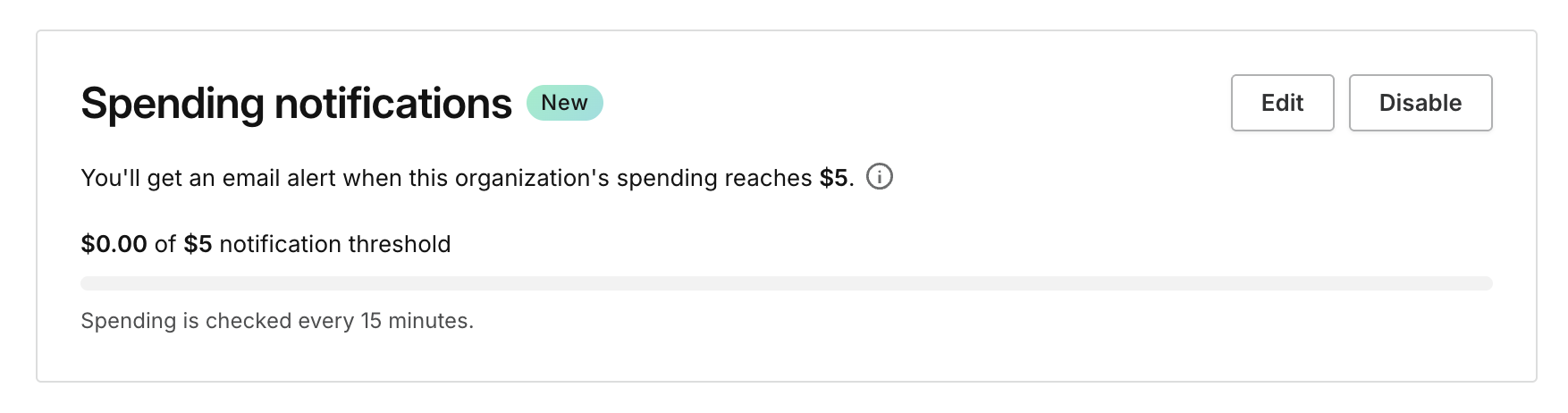
Keep in mind that this is only a notification, not a cap. Even with mine set to $5, I’ll still be billed for anything above it. Neon has no simple spending limit. The only real protection against a surprise bill is setting technical limits on the resources themselves, like compute caps or per-project quotas, which is a topic for another post.
5. Put your database close to your visitors. While you’re in there, check where your traffic actually comes from, especially your human visitors. Most of mine come from Asia, but my database was running in the US, so every request had to cross the Pacific. I moved it to Singapore, and pages that aren’t cached yet now load almost three times faster.
The prompt
If you’re a fellow vibe coder, you can give this to your AI coding assistant of choice:
My site's data only changes about once a week. Every page currently queries the database on each request, and bots are keeping my Neon database awake. Cache the pages and database queries for a week, and make sure a redeploy clears the cache so my changes show up right away.